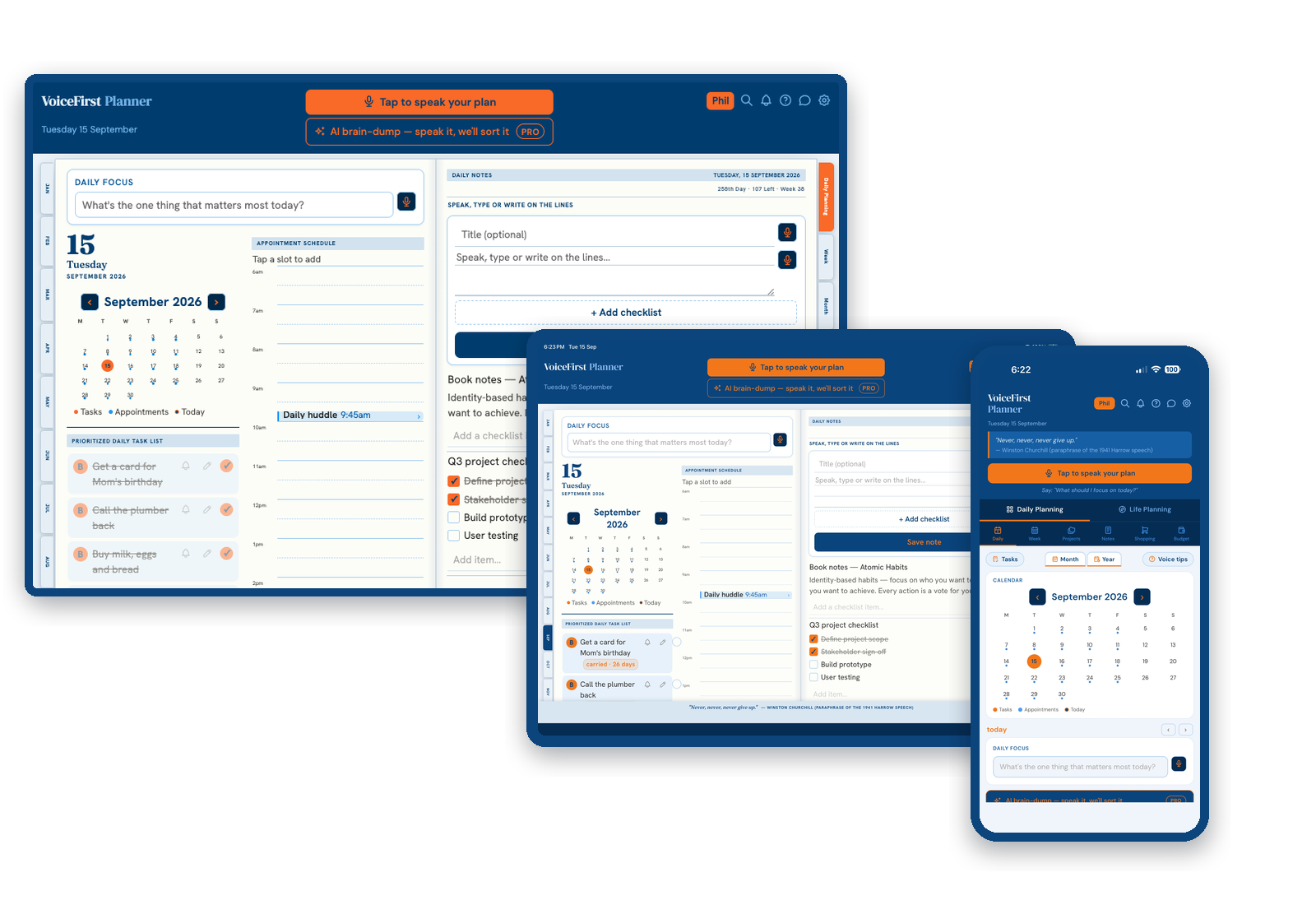
A digital planner for iPad, phone and desktop. One account, any browser, nothing to install — the planner meets the screen it’s on, and it’s the same day everywhere.
The paper planner never crashed, never needed charging, never lost your week. But it lived where you left it — and the day doesn’t stay at the desk.
There’s nothing to install — the planner lives on the web, and the screen in your hand is the whole setup. Phone, iPad, desktop: one account, the same tasks, the same notes, exactly where you left them. Nothing to copy across by hand, no backup to remember, no device to pair. No device limit on any plan.
Your planner opens on today — exactly as you left it on the last screen you used.

The tabs move to the foot of the screen where your thumb already is, and the day stacks into one column — focus, then tasks, then the schedule. Nothing is hidden and nothing is cut. It is the same day, read top to bottom instead of side by side, and it goes wherever you go.


The extra width buys back the paper layout: the day on the left, notes and the hour-by-hour schedule on the right, with the gutter down the middle exactly where the binding used to be. This is Planner view, and it is the closest thing to the book you already know.
And on iPad, Apple Pencil writes straight into your notes — handwriting, converted as you go.


Every section sits in a permanent sidebar rather than behind a tab — Daily, Week, Projects, Notes, Shopping, and the whole Life Planning set beneath them. Nothing is more than one click from anything else, which is what a big screen is for.

The spread can stay open on the desk where it belongs, because the phone carries the day for you. Speak a task in the car; it’s on the spread when you’re back at the desk. That’s the thing no paper planner can offer.
Planner view is iPad and desktop. On a phone you get the same day in one column, built for the smaller screen.
The planner lived on my desk and the work lived everywhere else. Half my day happened further than arm’s reach from the thing that was supposed to be running it.
— Dave Rees, Founder. From boatbuilder, to business owner, to Founder.
A good iPad planner uses the screen: the two-page spread you know from paper, room to write, and the same day waiting on your phone when you leave the desk. A PDF planner gives you the look of paper; a planner app also carries the day to your phone and fills itself in when you speak.
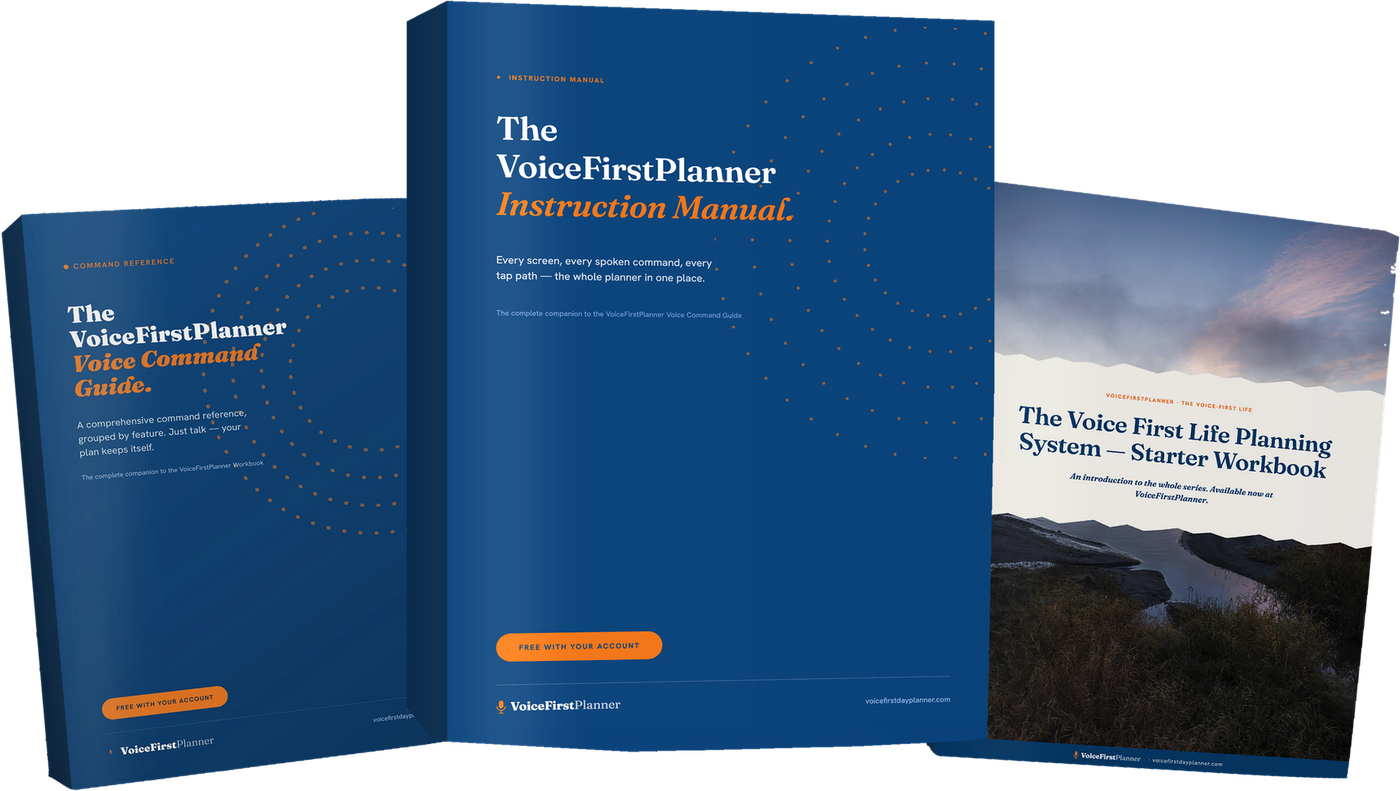
The full chapter is in the Instruction Manual — free with any account.
One that uses the width — a two-page spread — and keeps the same day on your phone. VoiceFirstPlanner’s Planner view is built for exactly that, and Apple Pencil writes straight into your notes.
VoiceFirstPlanner is free to start, with no card, and runs in the browser on iPad with nothing to install.
No. It runs in the browser. Add it to your Home Screen from the browser menu and it opens in one tap.
Yes — one account, the same day on phone, iPad and desktop. No device limit on any plan.
Free account. No card, no clock. The same daily planner on every screen.
Start freeEvery part of Daily Planning
The VoiceFirstPlanner Instruction Manual, The VoiceFirstPlanner Voice Command Guide and The Voice First Life Planning System — Starter Workbook.
$19.98 for the Starter Workbook alone — all three free when you create your free account.