Your work calendar knows exactly where your Tuesday stands, because somebody paid good money to make sure of it. This calendar planner is about the moment that stops being a problem — when work’s meetings come into your planner, one by one, by invitation only.

The shared calendar runs the meetings. It fills the hours, moves the hours, and never once asks what the hours were for. Everything you’re responsible for runs on a proper system — and your own day is what’s left over when work’s system is done with it.
A personal planner that can’t see work’s commitments isn’t a plan; it’s a guess. And handing your planner over to work’s calendar is worse — then nothing you own is yours.
A calendar planner puts the fixed times and the rest of your life on one page: the appointments, and the tasks, focus and notes that fill the time around them. A calendar alone holds the meetings. A daily planner alone holds the plan. A calendar planner holds both — so the day you plan is the day you actually have.
A digital calendar planner keeps both in one place — the calendar and planner in the same app, on every screen you use.
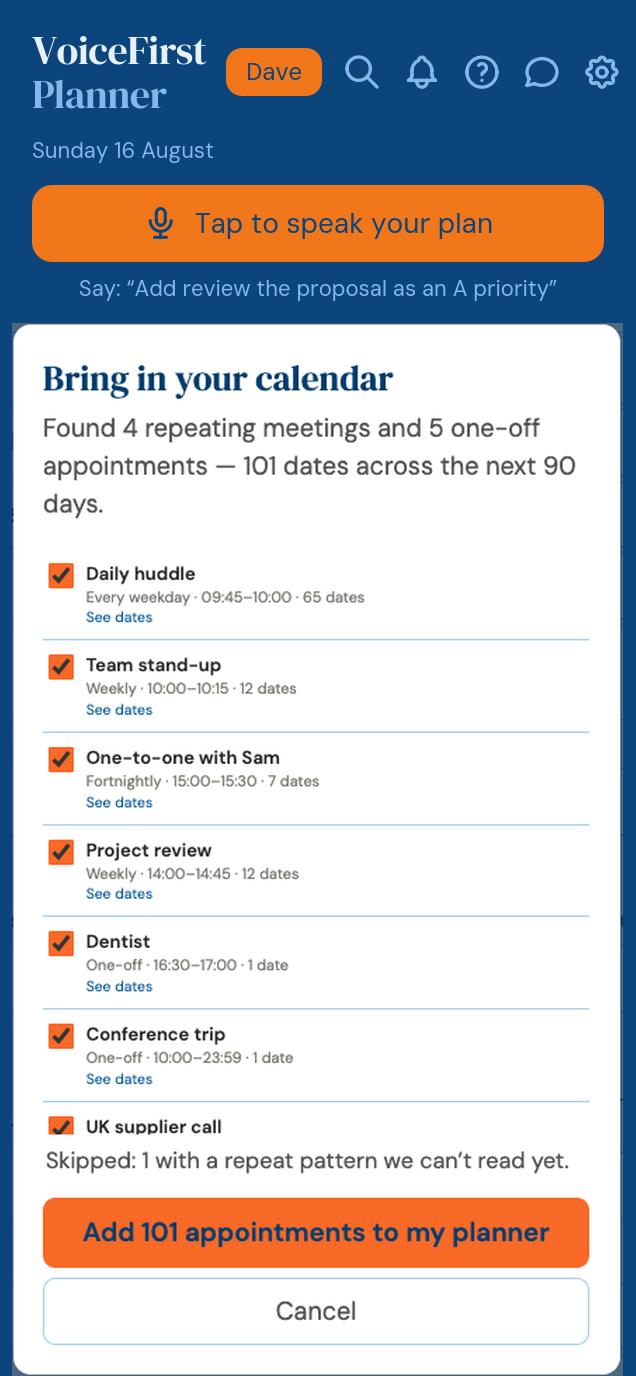
Export a calendar file from Outlook, Google or Apple — the file every calendar app already speaks — and bring it to your planner. Before a single meeting lands, VoiceFirstPlanner opens the door and shows you who’s knocking:
Found 4 repeating meetings and 5 one-off appointments — 101 dates across the next 90 days.
Every meeting listed. Every one with a tick box. Your one-to-ones — yes. The stand-up — yes. The all-company thing you’ve never once attended — untick it, and it stays outside. Then one button, and only what you chose is in your week.
One-way — nothing you do here ever changes your work calendar. No account connected, no permissions granted, nothing flowing back. The file never leaves your device. Import again whenever you like; anything already here is skipped. And if you change your mind, one tap undoes the whole import.
Work’s commitments, in your planner, on your say-so.
This is the whole idea of a personal planner: one place that answers to you. Your values, your goals, the thing promised at home, the health thing that’s been “next month” for a while — and yes, work’s meetings too, because they’re real. But they come in as guests, not landlords.
Your Day, your Week, your Month and your Year play out the way you decide — not the way a work calendar dictates.
The door works both ways. A standard calendar file — a .ics — free on every account, that every calendar app reads. Download your appointments and open them in Google Calendar, Apple Calendar or Outlook.
A calendar file lands in your downloads. Open it wherever you keep your calendar.
One control, no account to connect, and it is on the free plan. In by your choice, out whenever you want. Your data is yours — that isn’t a slogan here, it’s a button.
Google Calendar › the gear › Import and export › Import · Apple Calendar › open the file › choose its calendar · Outlook › File › Open & Export › Import/Export
If someone you trust — a coach, a trainer, a course — gives you their schedule as a calendar file, it comes through the same door with the same tick boxes. Their program, your planner, your decision on every line. And if you’re the coach: your clients can carry your program inside the planner they actually live in, without you touching their calendar or them surrendering it.
Every system I ever paid for ran the business beautifully and did nothing for me. The day I finally got was the day I decided what got into it. That’s the entire feature: you decide.
— Dave Rees, Founder. From boatbuilder, to business owner, to Founder.
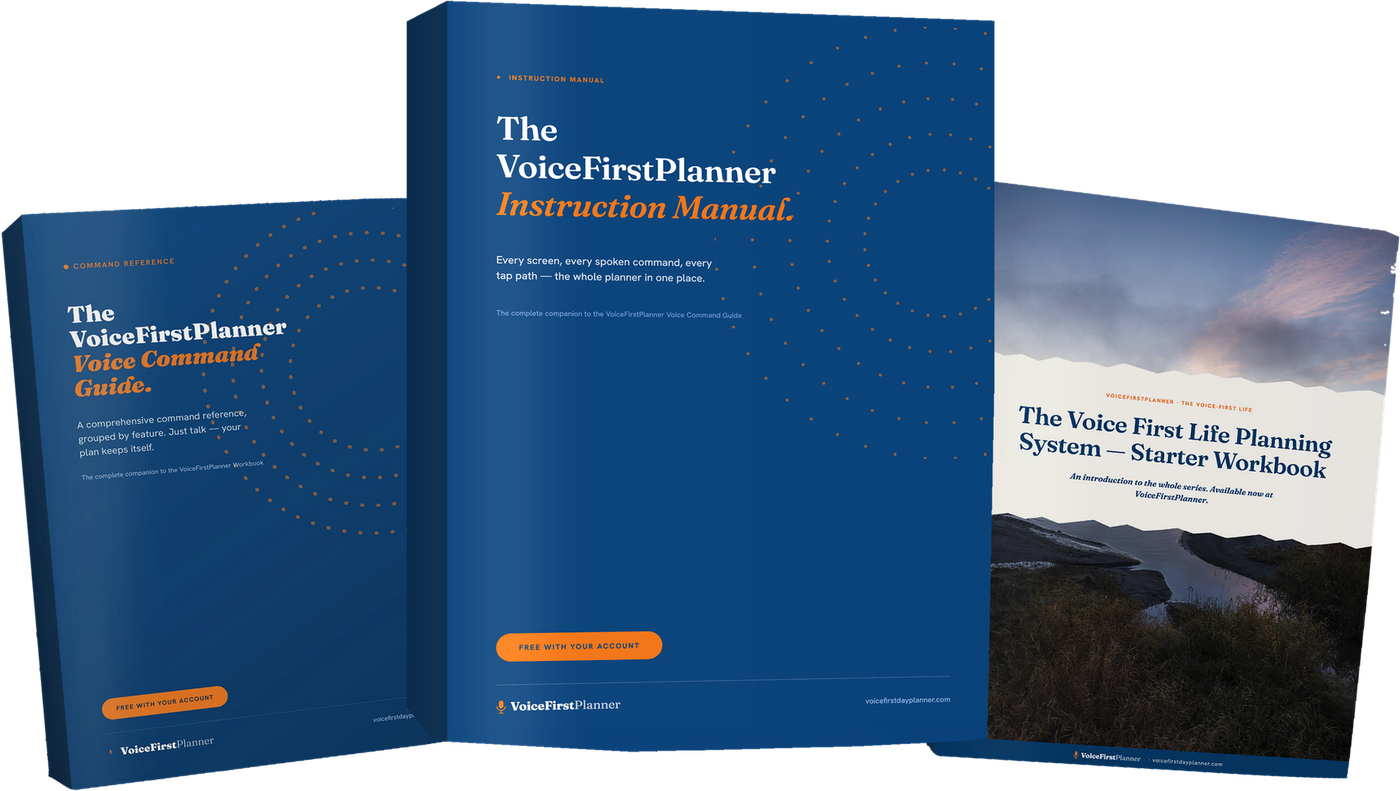
The full chapter is in the Instruction Manual — free with any account.
Yes, by file. Export a calendar file from Google Calendar and bring it in, ticking what enters. Export your own appointments as a .ics file and open them in Google Calendar. One-way — nothing you do here ever changes your work calendar.
Yes. It runs in any browser — phone, iPad or desktop — with nothing to install.
Yes. Importing a calendar file and exporting your appointments are both on the free plan.
No. There is no account to connect and no permissions to grant. The file never leaves your device.
Free account. No card, no clock. Work’s meetings land in your daily planner — one place that answers to you.
Start freeEvery part of Daily Planning
The VoiceFirstPlanner Instruction Manual, The VoiceFirstPlanner Voice Command Guide and The Voice First Life Planning System — Starter Workbook.
$19.98 for the Starter Workbook alone — all three free when you create your free account.